
Manage SMS1.3.9 - Get APK
You'll be able to download in few seconds.
Publisher Description
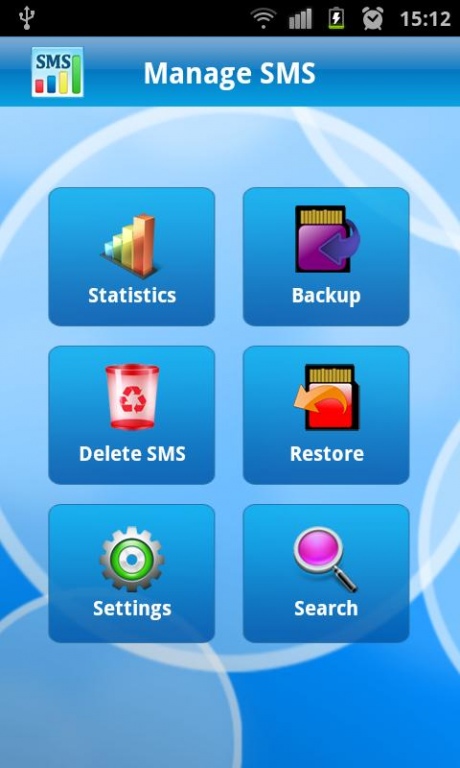
Manage SMS --- Easy and powerful SMS Manager
Manage SMS offers simple and easy ways to manage your text messages. You can quickly check statistics, create and restore backup, schedule auto backup, search and Delete SMS.
Have you wondered who messaged you most this month?
Want to save your messages and restore them quickly?
Want to delete all, sent or receive messages with just one click?
How to search SMS you need from long list?
Here is a simple and powerful SMS manager.
SMS Statistics
Find out with whom you chat most. User with highest message count is displayed at top of the list.
Separate statistics view for all, sent and received messages.
View statistics for any custom time period.
View statistics by Day, Week and Month basis.
SMS Backup
Options to backup all received or sent messages by one click.
SMS Restore
Freedom to restore messages of your choice whether received, send or all messages.
All backups are listed with date and time of backup.
SMS Deletion
Clear your inbox, sent box or both by just on click.
Auto Backup
Automatically create backup daily, weekly, after two weeks or monthly basis.
Search SMS
Search SMS by SMS text or by sender’s mobile number.
Supported Languages
Arabic
Bulgarian
Chinese (Simplified and Traditional)
Czech
Danish
Dutch
Estonian
Finnish
French
German
Greek (Modern)
Haitian Creole
Hebrew
Hungarian
Japanese
Korean
Italian
Latvian
Lithuanian
Norwegian
Polish
Portuguese
Romanian
Russian
Slovak
Spanish
Swedish
Thai
Turkish
About Manage SMS
The company that develops Manage SMS is ToXSL Technologies Pvt Ltd. The latest version released by its developer is 1.3.9.
To install Manage SMS on your Android device, just click the green Continue To App button above to start the installation process. The app is listed on our website since 2017-02-09 and was downloaded 0 times. We have already checked if the download link is safe, however for your own protection we recommend that you scan the downloaded app with your antivirus. Your antivirus may detect the Manage SMS as malware as malware if the download link to com.toxsl.managesms is broken.
How to install Manage SMS on your Android device:
- Click on the Continue To App button on our website. This will redirect you to Google Play.
- Once the Manage SMS is shown in the Google Play listing of your Android device, you can start its download and installation. Tap on the Install button located below the search bar and to the right of the app icon.
- A pop-up window with the permissions required by Manage SMS will be shown. Click on Accept to continue the process.
- Manage SMS will be downloaded onto your device, displaying a progress. Once the download completes, the installation will start and you'll get a notification after the installation is finished.
Program Details
System requirements
Download information
Pricing
Version History
version 1.3.9
posted on 2017-02-09
+ Privacy policy updated
+ Bug fixes
version 1.3.8
posted on 2016-08-04
+ Bug fixes
version 1.3
posted on 2013-05-24
Several fixes and updates
Disclaimer
External Download
We do not host Manage SMS on our servers. We did not scan it for viruses, adware, spyware or other type of malware. This app is hosted by Galad and passed their terms and conditions to be listed there. We recommend caution when installing it.
The APK Download link for Manage SMS is provided to you by apps112.com without any warranties, representations or guarantees of any kind, so access it at your own risk.
If you have questions regarding this particular app contact the publisher directly. For questions about the functionalities of apps112.com contact us.
